macOS · Disk analyzer for developers
Reclaim tens of gigabytes you didn’t know you had.
DiskLens is a storage analyzer for developers on macOS. It surfaces hidden caches, ML‑model weights, Docker data, Xcode artifacts and duplicates — and removes them safely. Everything runs locally: your data never leaves your Mac.
macOS 14 (Sonoma) and later · Apple Silicon & Intel · ~3 MB
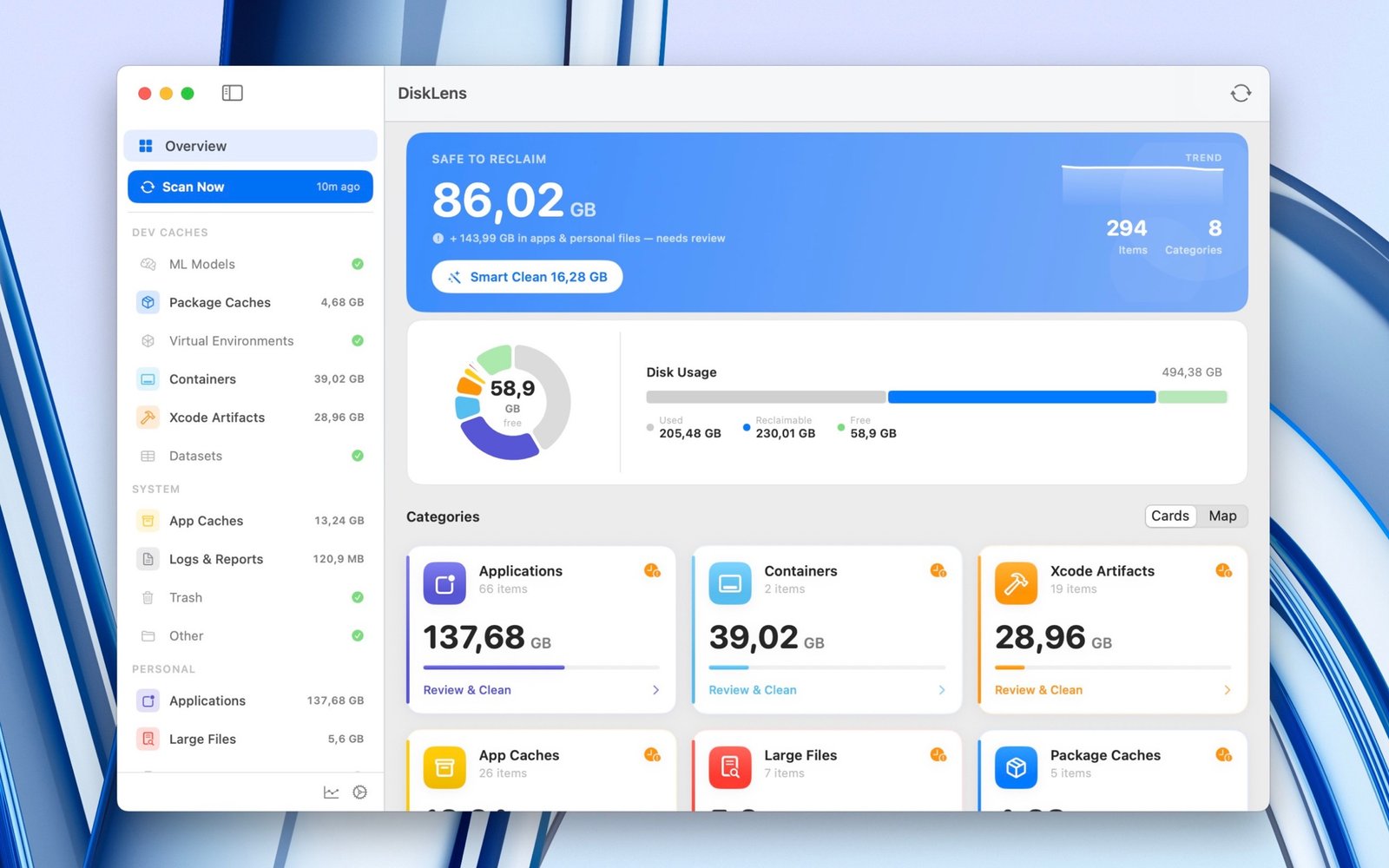
The overview — what’s safe to reclaim, where your space went, and one‑click Smart Clean.
npm ✦ pip ✦ Cargo ✦ Homebrew ✦ Gradle ✦ Docker ✦ Xcode ✦ Hugging Face ✦ Ollama ✦ PyTorch ✦ CocoaPods ✦ Conda ✦ node_modules
npm ✦ pip ✦ Cargo ✦ Homebrew ✦ Gradle ✦ Docker ✦ Xcode ✦ Hugging Face ✦ Ollama ✦ PyTorch ✦ CocoaPods ✦ Conda ✦ node_modules
npm ✦ pip ✦ Cargo ✦ Homebrew ✦ Gradle ✦ Docker ✦ Xcode ✦ Hugging Face ✦ Ollama ✦ PyTorch ✦ CocoaPods ✦ Conda ✦ node_modules
The problem
Your Mac is full of invisible junk
Every day of development, your disk quietly fills with data you never see:
- Package‑manager caches — npm, pip, Cargo, Homebrew, Gradle…
- Stale ML‑model weights — Hugging Face, Ollama, PyTorch, LM Studio
- Docker layers and images that never get cleaned up
- Xcode DerivedData, archives and unavailable simulators
- node_modules graveyards, duplicate files, forgotten large files
Finder won’t show it. DiskLens will — and clears it.
What it is
It understands developer tools
DiskLens scans your disk with 50+ specialized scanners, groups findings by category, shows a clear visualization, and lets you delete in one click — every item labeled with a safety level. It’s not just another cleaner: it knows where npm caches live, where Hugging Face weights sit, what’s safe to delete and what needs a second look.
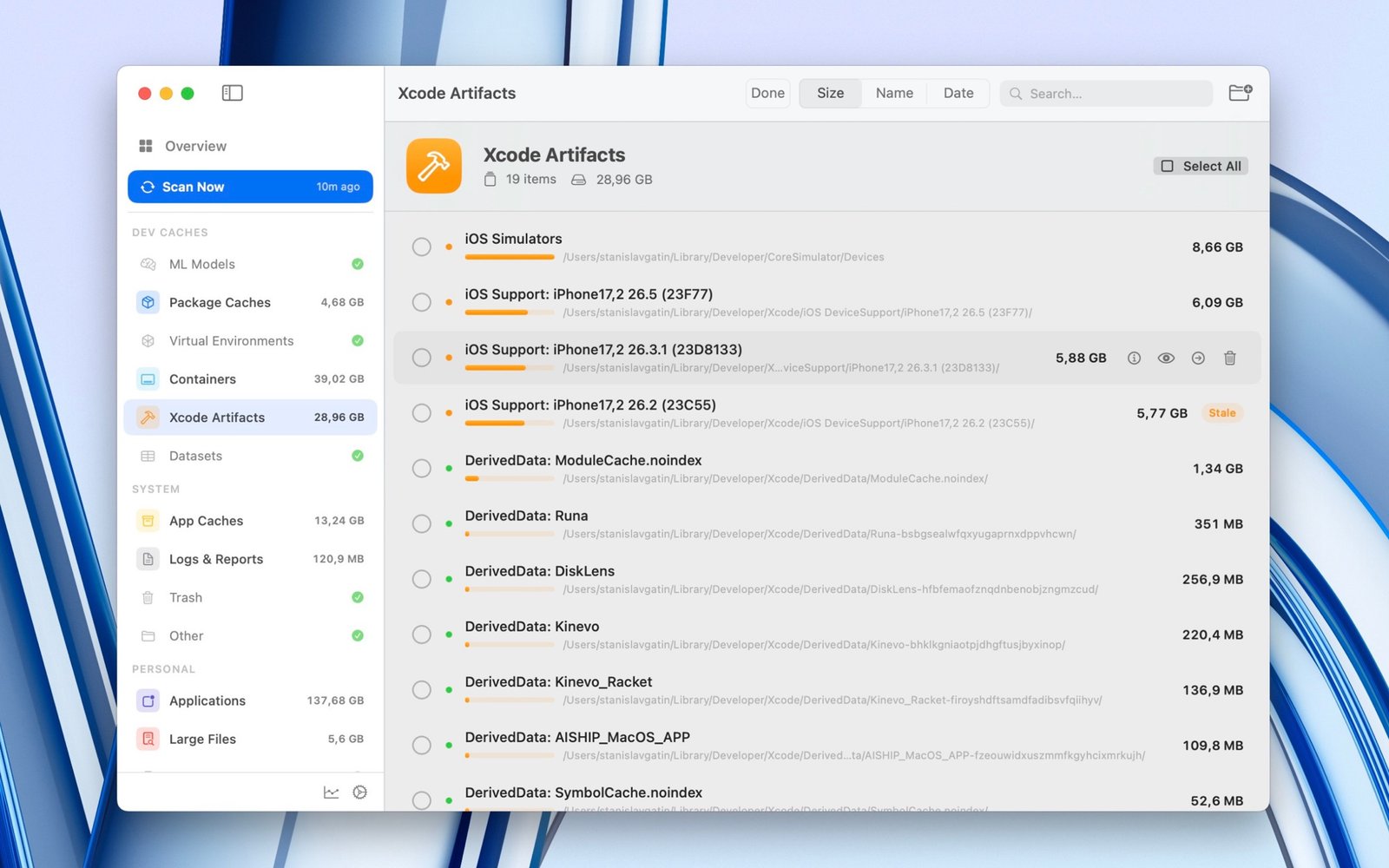
Scanning Xcode artifacts — DerivedData, simulators and device support, each sized and safety‑tagged.
See it
Find exactly where the space went
A donut for the big picture, an interactive treemap to zoom into categories and apps down to the folder. No more guessing which app is the culprit.
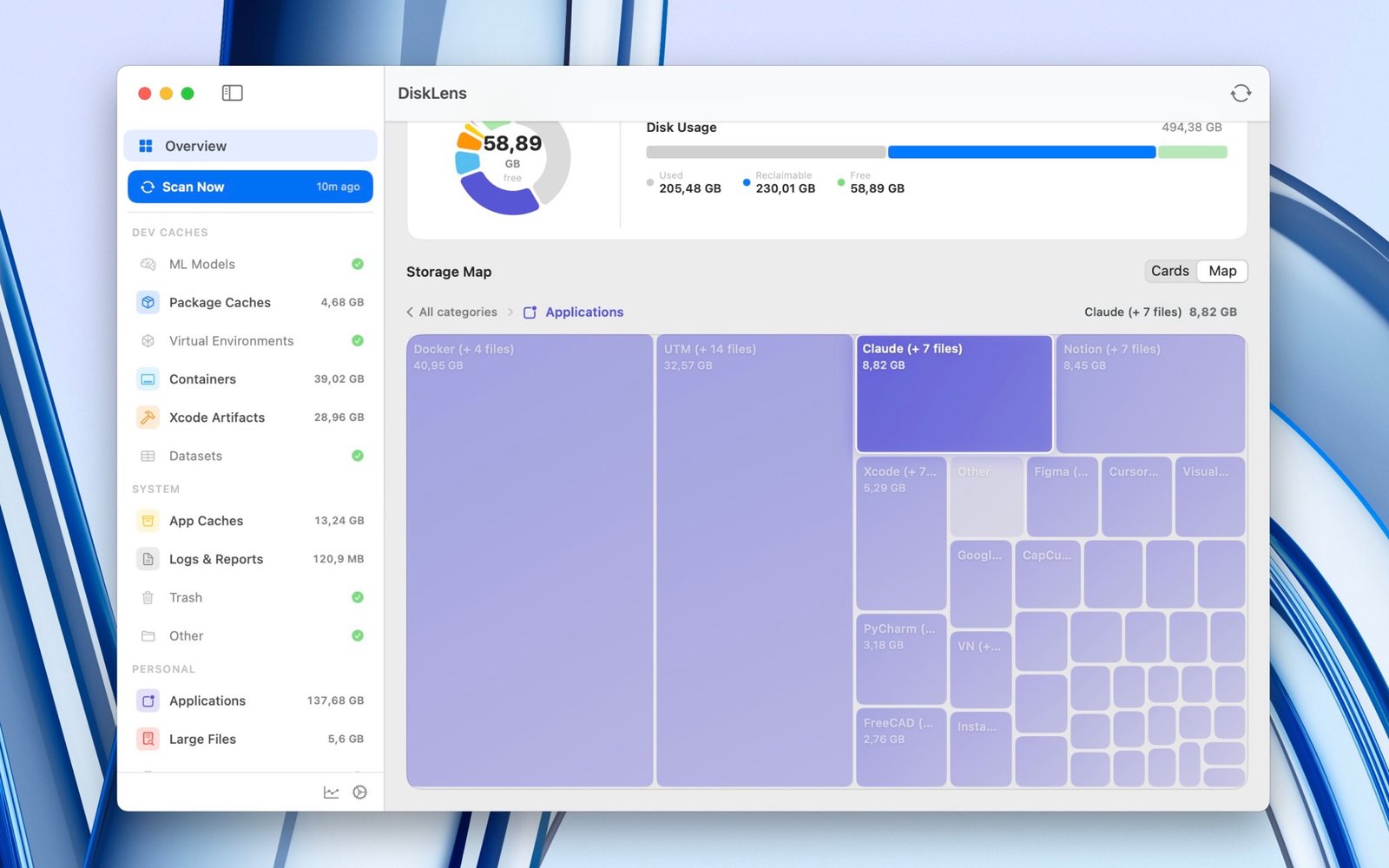
The interactive storage map — drill into any category or app to the exact folder.
Features
Everything that eats your SSD, in one place
📊 Visual disk analytics
A donut and category breakdown show what’s taking space and how much you can free — instantly.
🗺️ Interactive storage map
A zoomable treemap: step inside categories and apps to see exactly where the gigabytes settled.
🧠 ML‑model hunter
Finds weights from Hugging Face, Ollama, LM Studio, PyTorch Hub, TensorFlow/Keras and CoreML.
📦 Dev caches
Homebrew, npm/Yarn/pnpm, pip/uv, Gradle, Cargo, CocoaPods, Swift PM, Maven and more.
🐳 Docker & containers
Images, layers and volumes that quietly eat tens of gigabytes.
🛠️ Xcode cleaner
DerivedData, archives and unavailable iOS simulators.
👯 Duplicate finder
Size → 4 KB hash → full SHA‑256 finds exact copies. Quick Look preview before deleting.
🧹 Smart app uninstaller
Removes an app with all its leftovers: preferences, caches, containers, logs.
🐍 Environment cleanup
Inactive virtual environments: Conda, virtualenv, pyenv, nvm.
⚙️ Exclusions & menu bar
Exclude important folders from scans and watch disk health from the menu bar.
📤 Export analysis
Export a scan to JSON and hand it to an assistant or agent — what to delete, what to keep.
↩️ Undo & safety
Deletions go to the Trash — any cleanup can be rolled back.
How it works
Scan, review, reclaim
01
Scan
Hit Scan — DiskLens sweeps every known place dev tools hide data and builds the full picture in seconds.
02
Review
Browse the breakdown and storage map. Each item is tagged 🟢 Safe, 🟡 Caution or 🔴 Manual — plus a “not opened in 90+ days” marker for the truly forgotten.
03
Reclaim
Smart Clean removes all safe caches in one click, or pick items by hand. Everything goes to the Trash — fully undoable.
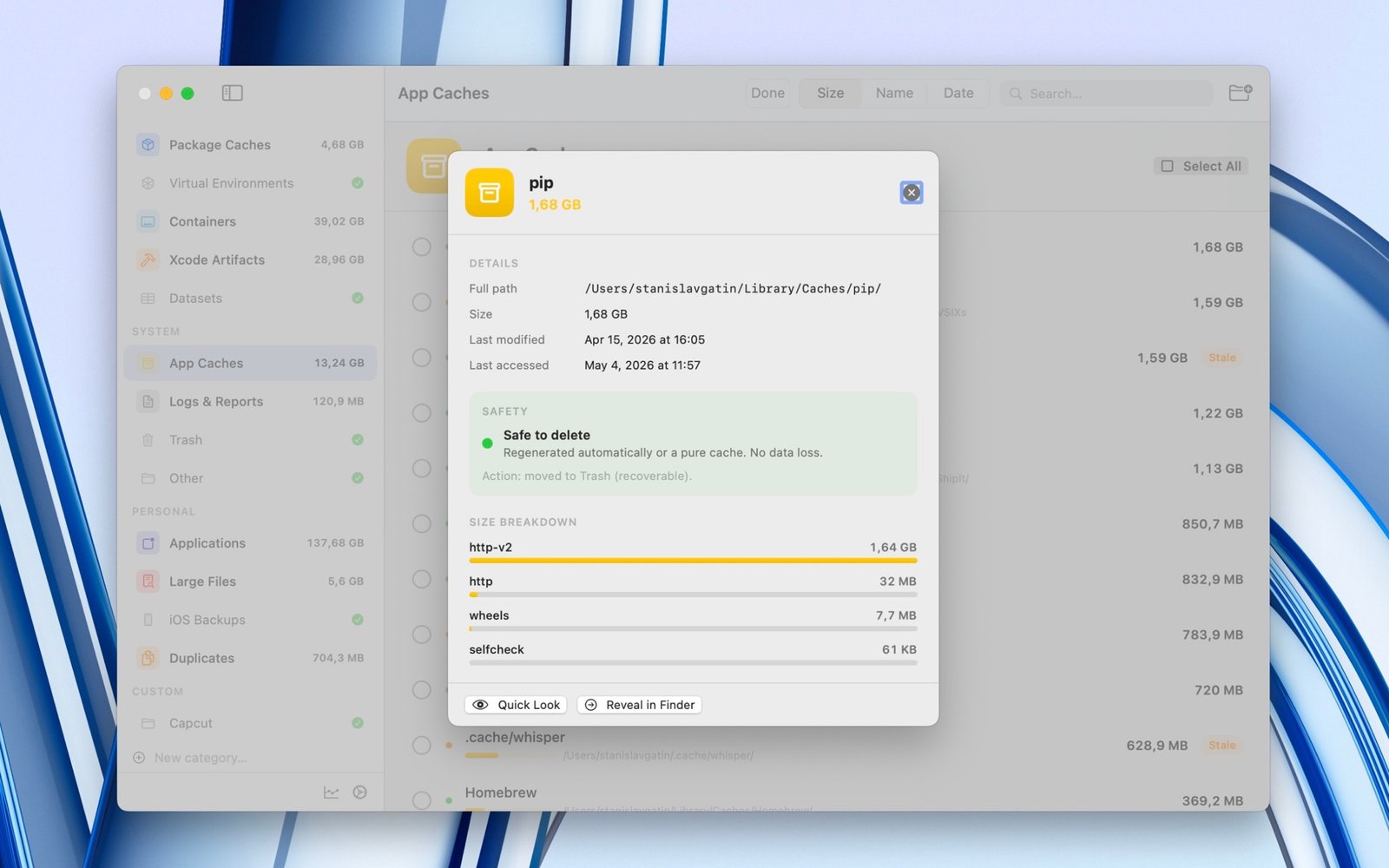
Every item shows its full path, size, a safety verdict and a size breakdown before you touch it.
A closer look
Built for the way developers work
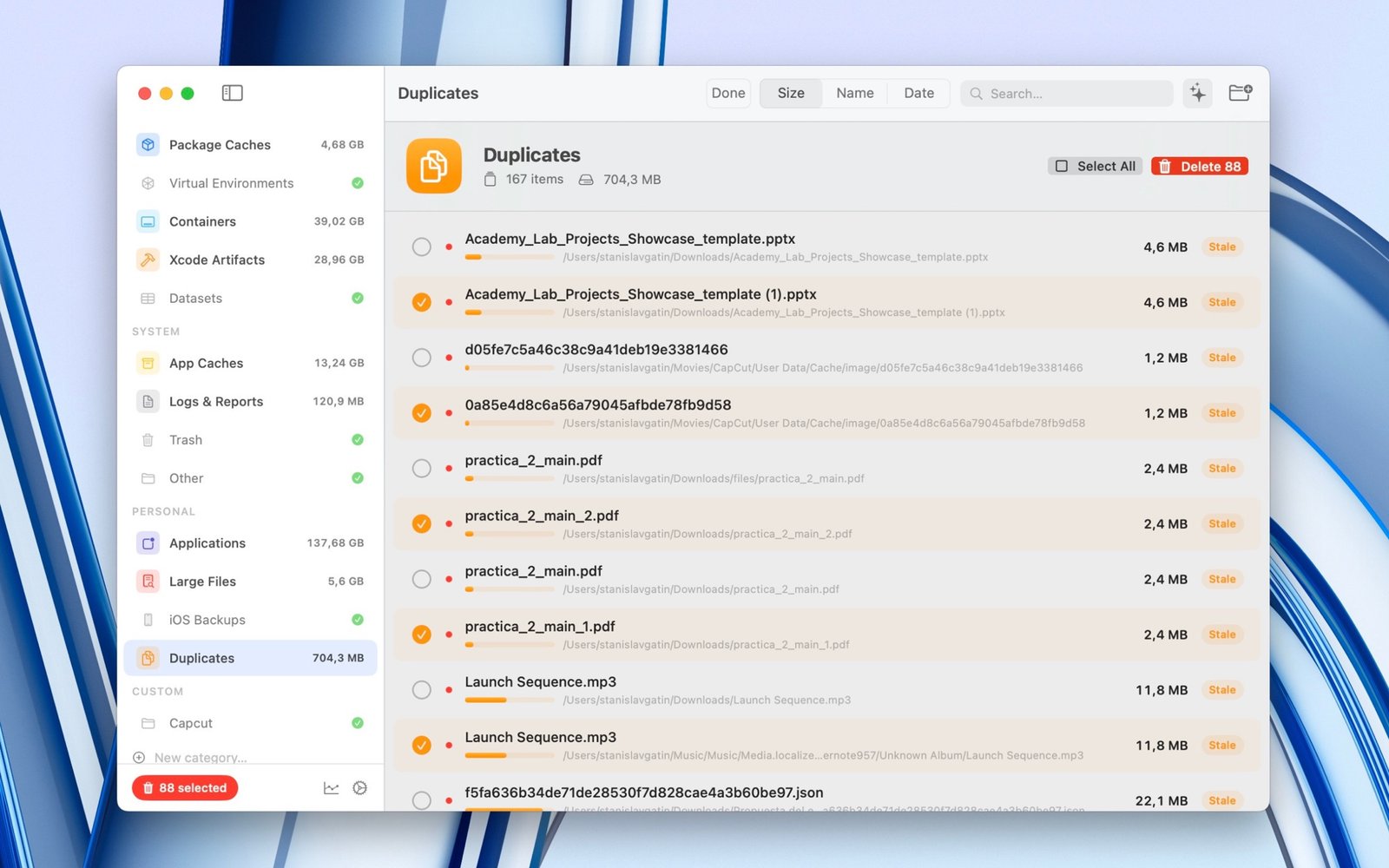
Exact‑duplicate finder
Three phases — size, then a 4 KB hash, then a full SHA‑256 — find true copies with no false positives. Preview with Quick Look before anything is removed.
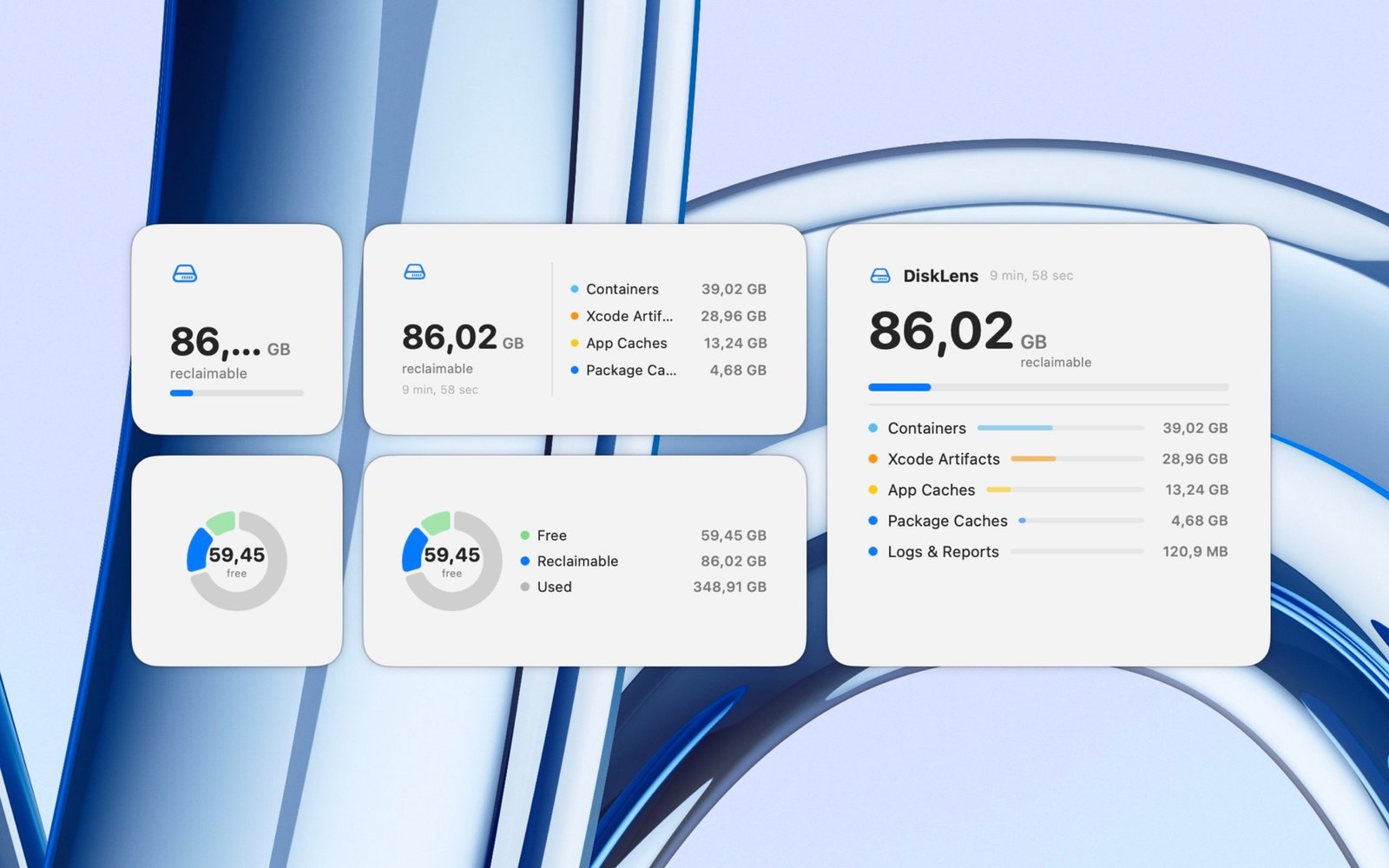
At a glance from the menu bar
Keep an eye on reclaimable space and disk health right from the menu bar — no need to open the app.
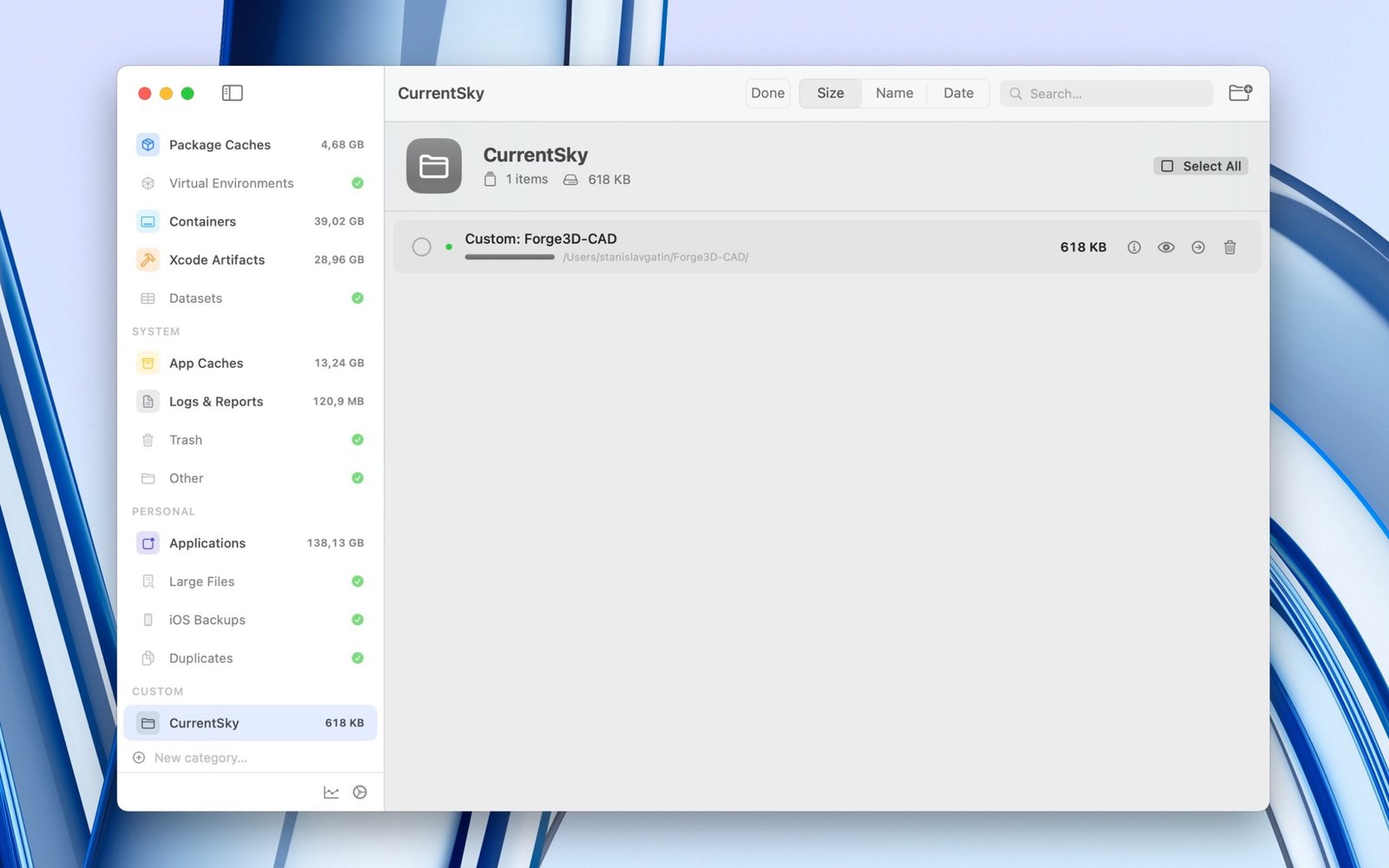
Track your own folders
Add custom categories to watch specific projects or directories, and see how they grow over time.
Privacy
Private by default
- Everything runs locally on your Mac.
- No servers, no cloud, no data transfer.
- No analytics, no tracking, no ads.
- Reads only file sizes and dates — never their contents.
Install
Up and running in a minute
DiskLens ships outside the Mac App Store, so macOS asks you to confirm the first launch once. Nothing to type in the terminal — and your Apple ID is never involved.
The simple way — no commands
-
1. Download — grab
DiskLens-macOS.zipand double‑click it to getDiskLens.app. - 2. Move (optional) — drag DiskLens.app into Applications.
- 3. First launch — double‑click; when macOS says “unidentified developer”, click Done, then System Settings → Privacy & Security → Security → Open Anyway.
- 4. Full Disk Access — when prompted, enable DiskLens in Privacy & Security → Full Disk Access, so it can see dev caches in hidden folders.
One command
Prefer the terminal? This downloads, removes the quarantine flag, installs to Applications and launches:
Copied!cd ~/Downloads && \ curl -L -o DiskLens-macOS.zip \ https://github.com/stas-gatin/DiskLens/releases/latest/download/DiskLens-macOS.zip && \ unzip -o DiskLens-macOS.zip && \ xattr -dr com.apple.quarantine DiskLens.app && \ mv -f DiskLens.app /Applications/ && \ open /Applications/DiskLens.app
Requirements
What you need
| OS | macOS 14.0 (Sonoma) or later |
| Processor | Apple Silicon (M1–M4) or Intel |
| Size | ~3 MB |
| Price | Free |
| Languages | English, Русский, Español, Deutsch |
FAQ
Questions
Is it safe? Won’t it delete something important?
Every item carries a safety level, and deletions go to the Trash — everything is recoverable. By default DiskLens asks for confirmation before removing anything.
Why does macOS warn me on first launch?
The app is distributed directly (not via the App Store) and signed ad‑hoc. That’s standard Gatekeeper behavior — you confirm once in System Settings. No Apple ID required.
Is my data sent anywhere?
No. DiskLens is fully offline — no servers, no analytics, no tracking.
Why does it need Full Disk Access?
Dev caches live in system and hidden folders. Without access, DiskLens simply can’t see what’s safe to clean.
Does it work on Intel Macs?
Yes — DiskLens runs on both Apple Silicon and Intel.
How is it different from CleanMyMac and similar tools?
DiskLens is built for developer tools: it knows npm/pip/cargo caches, Hugging Face weights, Docker layers and Xcode DerivedData — and tells safe apart from needs‑attention.
Get your disk space back
Free, private and local. Scan in seconds, reclaim tens of gigabytes in a click.
macOS 14+ · Apple Silicon & Intel · Private and local