CurrentSky · Multi-agent AI workspace
Brainstorm out loud with a room full of AI specialists — completely hands-free.
BrainStorm Agent is a real-time web workspace for team brainstorming with specialized AI agents. Start a live, voice-activated meeting, invite a custom roster of professionals — Software Architect, Hardware Engineer, UX Designer, Product Manager — and talk to them in a natural, hands-free conversation. The agents debate, collaborate, challenge each other, read your uploaded documents, and write a structured live Markdown report you can edit in real time and export to PDF.
Real-time voice · Whisper STT · OpenAI TTS · Live Markdown → PDF · Runs locally
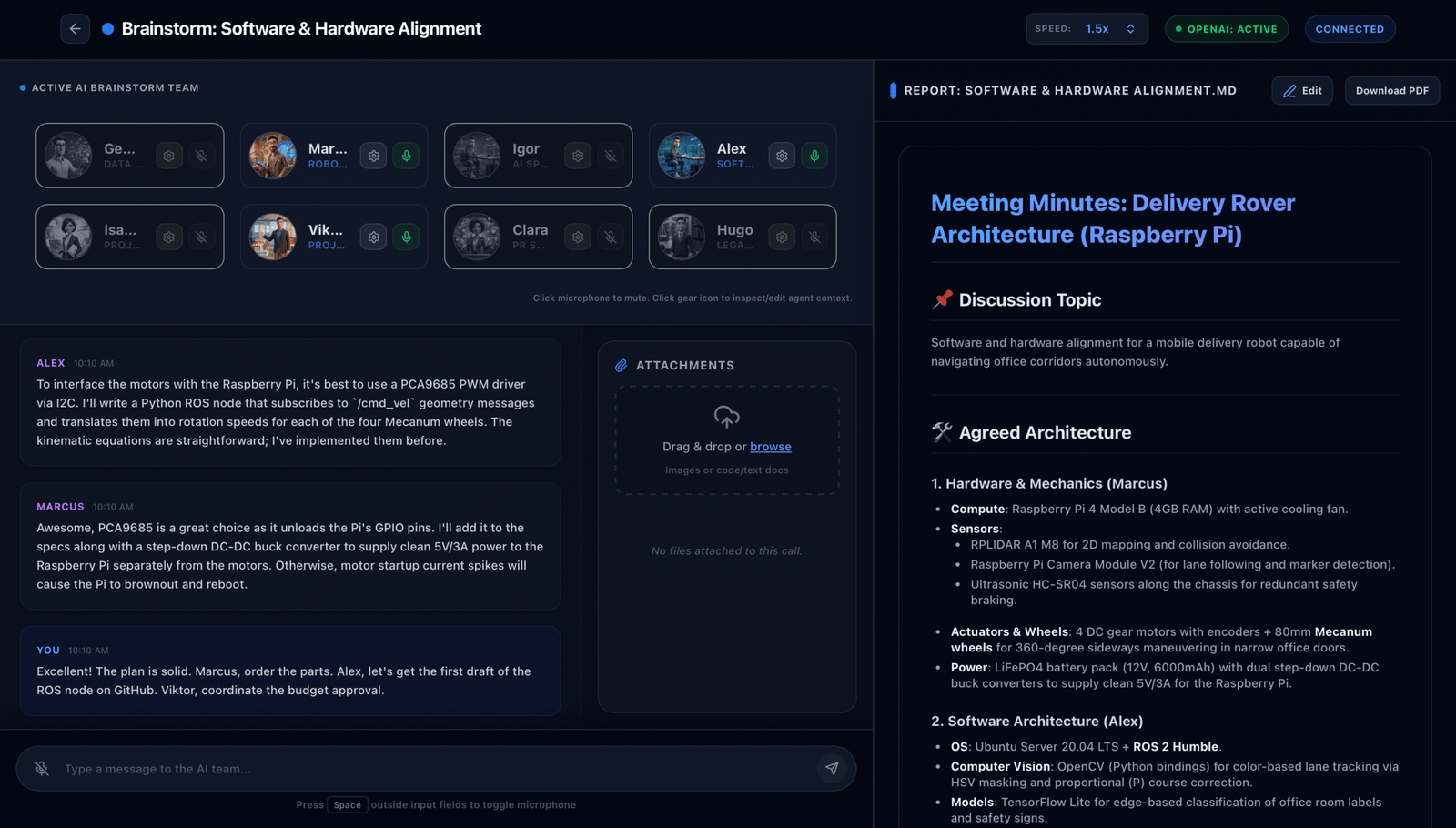
A live session: the AI team and the running debate on the left, a Markdown report that writes itself — one click from PDF — on the right.
Real-time voice ✦ Whisper STT ✦ OpenAI TTS ✦ FastAPI ✦ React + TypeScript ✦ WebSockets ✦ Multi-agent debate ✦ Live Markdown ✦ SQLite ✦ VAD ✦ PDF export ✦ gpt-4o-mini
Real-time voice ✦ Whisper STT ✦ OpenAI TTS ✦ FastAPI ✦ React + TypeScript ✦ WebSockets ✦ Multi-agent debate ✦ Live Markdown ✦ SQLite ✦ VAD ✦ PDF export ✦ gpt-4o-mini
Real-time voice ✦ Whisper STT ✦ OpenAI TTS ✦ FastAPI ✦ React + TypeScript ✦ WebSockets ✦ Multi-agent debate ✦ Live Markdown ✦ SQLite ✦ VAD ✦ PDF export ✦ gpt-4o-mini
The workspace
A meeting room full of specialists
Most brainstorms are limited by who is in the room. BrainStorm Agent gives you a full cross-functional team on demand: a software lead, a hardware engineer, a data scientist, a project manager, a legal advisor and more — each with its own prompt, model and voice. You speak; they respond; they argue with each other when they disagree; and the whole session is captured as a clean, editable document.
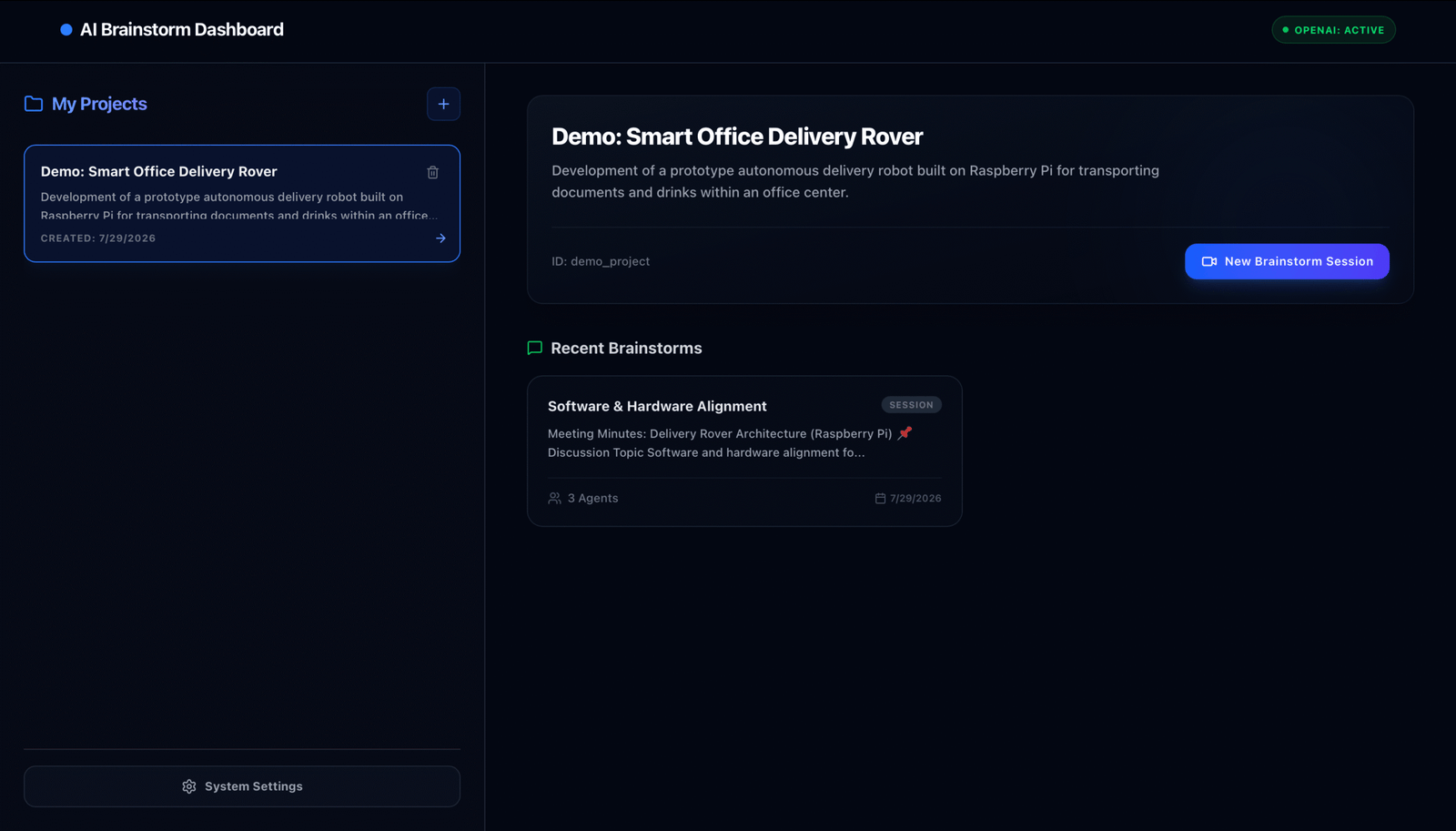
The dashboard: your projects on the left, recent brainstorms and a one-click new session on the right.
No buttons, no typing. Just talk — the room does the rest.
The loop
You talk. They think. It writes.
A single brainstorm turn is a fully automated read → route → debate → write cycle. You never touch the keyboard.
01
You speak
The Web Audio pipeline watches your microphone volume in real time — no push-to-talk, no buttons.
02
Silence, then send
When you pause past the VAD threshold (0.5–5s), the clip is captured and streamed over a WebSocket.
03
Transcribe
The backend feeds the audio to OpenAI Whisper and streams the transcribed text straight back to the client.
04
Route
A fast gpt-4o-mini router reads the transcript, matches named entities and picks which specialist replies first.
05
Debate
Agents answer in turn — streaming text word-by-word and voice through TTS — until the coordinator hands back to you or the turn limit is reached.
06
Report & resume
A background scribe updates the live Markdown report, then the mic re-opens automatically for your next line.
Features
Everything the session needs
🎙️ Hands-free voice
Local silence detection (VAD) listens, submits, mutes itself while the AI speaks, and reactivates when it’s done.
🧭 Smart routing
An orchestrator inspects each message and decides which specialist should respond, and whether another should follow.
🗣️ Multi-agent debate
Agents collaborate and challenge each other across a bounded discussion loop, not one-shot answers.
📝 Live Markdown report
A dynamic side panel compiles the topic, key decisions, action items and next steps as the talk unfolds.
✍️ Manual overrides
Open a full-height Markdown editor to fix typos, add items or restructure — saved to the DB and broadcast to everyone.
📄 PDF export
Turn the report into a clean, print-ready PDF for stakeholders in one click.
📎 Document context
Upload documents and images; agents fold their contents into the conversation as shared context.
🧩 Create your own agents
Add, edit or remove agents — set each one’s prompt, OpenAI model and synthesized voice from System Settings.
The team
Eight specialists, one table
Every session starts from a default roster of eight agents — but you’re never limited to them. Spin up your own specialists from scratch, each with its own prompt, model and voice, and invite them to any call.
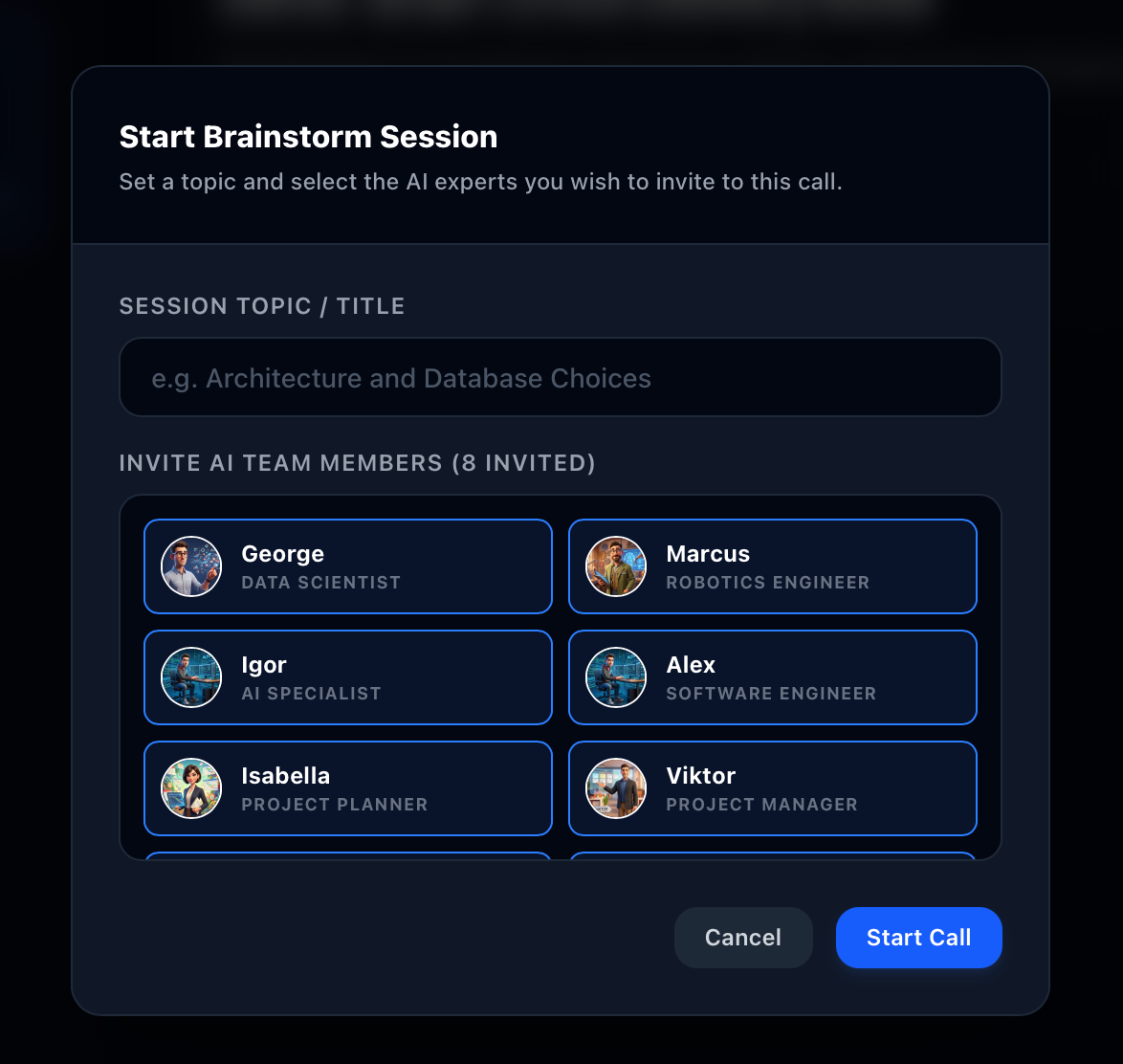
Starting a session: set the topic and invite exactly the specialists you want around the table.
Alex
Software Lead — code architecture, backend systems and database selection.
Marcus
Hardware & Robotics — mechanical structures, sensors and microcontrollers.
Igor
Product & Business — product-market fit, user experience and business logic.
Georgy
Data Scientist — AI models, big data, analytics and neural networks.
Isabella
Project Manager — timelines, task estimation, risk analysis and project phases.
Viktor
QA Lead — test plans, performance limits and load testing.
Clara
PR & Marketing — branding, customer acquisition and market-entry strategy.
Hugo
Legal Advisor — licensing, data-privacy compliance, GDPR and IP.
Under the hood
A decoupled real-time stack
A client-side single-page app talks to an async API gateway over REST and bidirectional WebSockets, carrying JSON and audio blobs both ways.
The gateway persists every session to a local SQLite database and reads runtime settings from config/*.json — API keys and policies are editable while it runs.
Backend — Python & FastAPI
- Orchestrator — the state machine: routes input, runs the multi-agent debate, and wraps each turn so an exception can’t lock the session.
-
Settings manager — saves keys and policies to
config/settings.json, falling back to.envuntil they’re changed. - SQLite database — projects, calls, chronological messages and file attachments, all local.
Frontend — React & TypeScript
- Sound pipeline — unlocks autoplay on the first click, then plays synthesized chunks from a sequential queue in the right order and speed.
- VAD hooks — sample mic frequencies every 100ms; cross the silence limit and the recorder stops and transmits.
- Speaker cues — the active agent glows while its audio plays; a short cooldown prevents clipping the next line.
Settings
Tune the room to your team
The System Settings page controls both global behavior and the agent roster — everything editable at runtime.
- API configuration — safe, runtime-editable forms for your OpenAI and Gemini keys.
-
VAD silence delay — a slider from
0.5sto5.0sto match how you pace your speech. -
Discussion turn limit — cap the debate anywhere from
1to10agent turns per round. - Roster editor — add custom agents, rewrite prompts, assign models and voices, or delete the ones you don’t need.
The stack
What it runs on
| Backend | Python 3.10+ · FastAPI (async) |
| Frontend | React · TypeScript · Vite · Tailwind CSS |
| Realtime | WebSockets + REST |
| Storage | SQLite · config/*.json |
| AI providers | OpenAI (Whisper · TTS · GPT) · Gemini |
| Runs on | localhost:8000 (API) · localhost:5173 (UI) |
Setup
Up and running in one command
1 · Requirements & keys
- Python 3.10+
- Node.js 18+ (with npm)
Add a .env file in the project root:
Copied!OPENAI_API_KEY=your_openai_api_key GEMINI_API_KEY=your_gemini_api_key
2 · Launch
From the project root, run the automated initializer:
Copied!python3 run.py
It creates a virtual environment, installs pip & npm dependencies, initializes the SQLite database, and runs the FastAPI backend and the Vite React frontend together — backend on :8000, frontend on :5173.
Gather your AI brain-trust
A voice-driven room of specialists that debate your idea and hand you a clean report at the end. Want to bring BrainStorm Agent to your team?
Real-time voice · Multi-agent debate · Live Markdown → PDF · Local & private
More from CurrentSky — Projects
Open source
This project is open source
Read the full code — the orchestrator, the multi-agent debate loop, and the live-report scribe — on GitHub.